
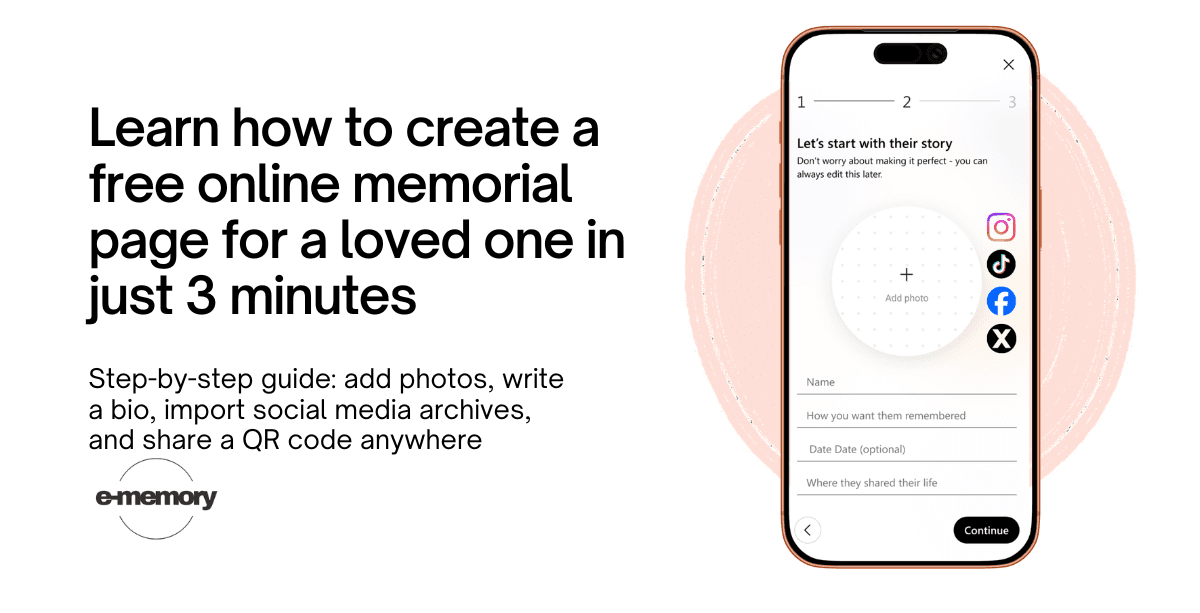
The short answer: To create a memorial page, you need only one thing - a name. Not a folder of organized photographs. Not a written biography. Not a death certificate or any official document. Just a name, and the decision to begin. Everything else can be added later, by you or by the people who loved them.
This guide walks you through every step.
What a Memorial Page Actually Is
A memorial page is a dedicated online space - not a social media profile, not a group chat, not a shared album — built specifically to hold the story of someone's life. It is a place the whole family can return to: on a birthday, on an anniversary, on a Tuesday afternoon when grief arrives without warning.
A good memorial page does three things that no social media platform does well. It preserves content permanently, without being subject to algorithm changes or platform shutdowns. It allows the whole family to contribute, regardless of which apps they use or whether they have an account on any particular platform. And it presents a life as a story — not as a feed, not as a timeline of posts, but as something cohesive and human that can be shared with people who were never online at all.
You do not need to be technically skilled to create one. You do not need to have everything ready. You need about three minutes to begin, and the page grows from there on its own terms.
What You Need to Get Started
Nothing except a name.
That is not a marketing promise — it is genuinely the minimum requirement. You can create a memorial page with a name and a date, and leave it at that for now. Add a photograph when you find one. Write a sentence about who they were when you are ready. Invite your sister to add the story from the summer cabin when she feels up to it.
The page does not require completeness to be meaningful. Some of the most moving memorial pages begin with three lines and grow over months as family members contribute what they remember from their own angle.
If you do have things to hand — a photograph, a date of birth and death, a paragraph about who this person was — then the page will take shape in a few minutes rather than one. But the only hard requirement is a name and the willingness to begin.
Step-by-Step: How to Create a Memorial Page on E-Memory
Step 1 — Create the page
Go to e-memory.com and click "Create your memories." You will be asked to enter:
The person's name (as you want it to appear on the page)
Their date of birth and date of passing (optional — you can skip either)
A short description of who they were (optional — one sentence is enough, or leave it blank)
This takes under sixty seconds. When you click continue, the page exists. It has an address, it is yours, and nothing has been lost by starting small.
Step 2 — Add a photograph
A photograph is not required, but it transforms the page. It gives visitors something to look at before they read a single word. It makes the page feel like a person rather than a form.
You can upload any photograph — a recent one, an old one, a favourite one, the one that most looks like them. It does not need to be high resolution. Phone photos from years ago are often the most cherished.
If you do not have a photograph available right now, skip this step. You can come back to it. If you have several photographs and cannot choose, upload more than one — E-Memory displays them as a gallery, and family members can add their own later.
Practical tip: If you are going through old albums or phones looking for photographs, do not let that search delay the page going live. Create the page with a name, share the link with family, and let the photographs arrive as people find them on their own devices.
Step 3 — Write the biography
The biography does not need to be an obituary. It does not need to cover every decade or mention every achievement. What it needs to do is answer the question that someone who never met this person would ask: who were they?
Three sentences can do that. "She was a schoolteacher for thirty years who believed that handwriting mattered and that no child should be made to feel stupid. She made the best potato soup in the family and kept a garden that was only ever half under control. She was the person you called when something went wrong and the person you wanted beside you when something went right."
That is enough. That is more than most obituaries manage.
If you find yourself staring at the blank field unable to write anything, leave it blank and come back. Or write one sentence. Or copy something from the order of service if the funeral has already happened. The biography can be edited at any time.
Step 4 — Import a social media archive (optional)
This step is optional, but it is where E-Memory becomes something genuinely different from a basic memorial page.
If your loved one had a Facebook or Instagram account, you can request a data export from those platforms and upload it directly to E-Memory. The platform processes the archive and builds a life timeline automatically — posts organized by year, photographs placed in context, moments arranged into a story rather than a data dump.
The result is not a reconstruction. It is an organization of what already existed, presented in a form that is actually readable. A grandchild who was born after their grandmother died can scroll through the timeline and understand, from her own words and photographs, who she was.
→ How to download and import a Facebook archive
If this feels like too much to deal with right now, skip it. The memorial page works beautifully without it. The archive import is there when you are ready.
Step 5 — Share the page
Once the page exists — even if it is just a name and a date — you can share it. E-Memory gives you a personal link that you can send by text, by email, or post anywhere you choose.
Share it with family members. Share it with the people from the funeral who asked how they could stay connected to the memory. Share it in a message to friends who live in other countries and could not attend the service. The page becomes a gathering point — somewhere everyone can go, somewhere the memory lives outside of any single person's phone.
How to Invite Family Members to Contribute
A memorial page is at its most powerful when it is built by many people rather than one. Your memory of this person is partial — everyone's is. The cousin who grew up in another city holds a version of the story you have never heard. The old friend from school remembers something that the family never knew.
E-Memory lets you invite contributors by sending a link or an email invitation. People you invite can add photographs, write memories, upload videos, and share stories from their own angle. You remain the administrator of the page and can approve or manage contributions as you see fit.
To invite contributors: go to the page settings and select "Invite family and friends." Enter their email addresses or copy the contributor link to send however you prefer. There is no limit on how many people can contribute.
One practical suggestion: when you share the link with family, include a specific prompt. Not "feel free to add things" but "if you have a photograph from before 1990, I would love to have it on the page" or "would you write down the story you told at the reception about the summer he fixed the roof?" Specific requests get responses. Open invitations often do not.
What to Include Beyond the Basics
Once the page is live and the foundation is in place, here is what tends to make memorial pages feel genuinely personal rather than formally respectful.
Favourite music. A playlist of the songs they loved — or one song that was theirs — changes how a page feels. Music is a faster route to memory than any photograph. E-Memory lets you add music to the page so that visitors can listen while they read.
Stories, not summaries. There is a difference between "she was a devoted mother" and "she drove four hours in a snowstorm to watch a school play that lasted eleven minutes and brought flowers." Facts tell people what happened. Stories tell people who someone was. Encourage contributors to write stories rather than tributes.
Favourite places. Where they were most themselves. The garden. The cabin. The particular booth at the particular restaurant they went to every Saturday. Places anchor memory to something physical and specific.
Their own words. If there are saved text messages, emails, letters, or voice memos — anything in their own voice — these belong on the page. Even a single sentence written in their handwriting, photographed and uploaded, carries a weight that nothing else can.
Photographs with context. A photograph is more valuable when someone has written what it shows. "This is him at the allotment, probably around 2003, the year he grew the marrow that he was insufferably proud of" is worth ten unidentified portraits.
How to Get a QR Code for Physical Placement
Every E-Memory memorial page comes with a unique QR code — a scannable image that takes anyone who scans it directly to the memorial page, from any phone, without needing an app or an account.
To get your QR code: go to the page settings and select "Get QR code." Download it as an image file.
You can then print it and place it wherever memory lives. Inside the front cover of their favourite book. On a framed photograph on the mantelpiece. On a candle that you light each anniversary. In the order of service at a memorial event, so that everyone who attends can carry the page away with them. On a grave marker, so that anyone who visits can hold up their phone and step inside an entire life rather than reading two dates separated by a dash.
→ Learn more about QR code memorials and where families place them
Setting Up Reminders for Important Dates
Grief does not follow a schedule, but certain dates arrive with a particular weight — a birthday, an anniversary, the day they died. E-Memory's reminder feature lets you record those dates and receive a gentle notification when they arrive: not an alarm, but an invitation.
"Today is your father's birthday. Would you like to look at his favourite photos?"
To add reminders: go to page settings and select "Dates and reminders." Add whichever dates matter to you. You can choose whether to receive the reminder by email or notification, and you can adjust or remove reminders at any time.
→ How E-Memory's reminder feature works
Tips for Making the Page Feel Personal, Not Clinical
The difference between a memorial page that people return to and one that feels like a formatted document often comes down to tone. Here are the things that make the difference.
Write in the present tense where it feels natural. "She makes the best potato soup" instead of "she made." It is not a denial of what has happened. It is an acknowledgment that memory operates in the present.
Use the name they were actually called. Not the name on their birth certificate unless that is what everyone used. The nickname, the abbreviation, the thing their grandchildren called them.
Let imperfection stay. A blurred photograph from 1987 with a thumb in the corner is worth more than a perfect portrait from a formal occasion. The imperfect ones are usually the ones that look like the person.
Do not write for the record. Write for the people who loved them. The people who will read this page are not strangers — they are family members and old friends who want to feel close to someone they are missing. Write for that feeling.
Start before you are ready. The page does not need to be finished to be meaningful. It needs to exist.
Frequently Asked Questions
Do I need all the photographs ready before I start? No. You can create a complete, shareable memorial page with nothing but a name. Photographs can be added at any time, by you or by family members you invite to contribute. Many families start the page on the day of the funeral and add photographs over the following weeks as people send them in.
Can other people add to the memorial page? Yes. You can invite family members and friends to contribute photographs, stories, and memories. As the page administrator, you control who can contribute and can review submissions before they appear publicly. There is no limit on how many contributors you can invite.
Does the memorial page expire or disappear after a certain time? No. E-Memory is designed for permanence. Memorial pages do not expire with a subscription or disappear when a platform changes its policies. The page will be there when your grandchildren are old enough to look for it.
What if I don't have access to their social media accounts? You do not need access to their accounts to create a memorial page. The social media archive import is an optional feature — you can build a rich, personal memorial page entirely from photographs, stories, and memories that you and your family contribute directly. If archive import becomes possible later, it can always be added.
Can I make the page private? Yes. E-Memory lets you choose the visibility of each memorial page — fully public, accessible only to people with the link, or private to invited contributors only. You can change the visibility settings at any time.
What if I make a mistake or want to change something? Everything on the memorial page can be edited at any time by the administrator. There is no publishing deadline and no version that cannot be changed. The page is yours to shape over time.
Is E-Memory free to use? Creating a memorial page and inviting family members to contribute is free. Some advanced features — including the full social media archive import, extended storage, and custom QR code designs — are available on paid plans. The core memorial page, the family contribution tools, and a standard QR code are free with no time limit.
Start Now — It Takes Three Minutes
You do not need to wait until you have more photographs. You do not need to wait until you know what to write. You do not need to wait until you feel ready, because there is no version of ready that comes before the decision to begin.
Start with a name. The page will grow from there — with your own memories, with contributions from people who loved the same person from a completely different angle, with photographs that arrive unexpectedly from cousins in other cities, with stories you had never heard before.
The page is a gathering place. It only needs to exist for the gathering to begin.
→ Create your free memorial page — it takes three minutes
E-Memory is a digital memorial platform that helps families create beautiful, permanent memory pages for the people they love. Free to start. Built to last. Accessible anywhere in the world by a simple link or QR code.
